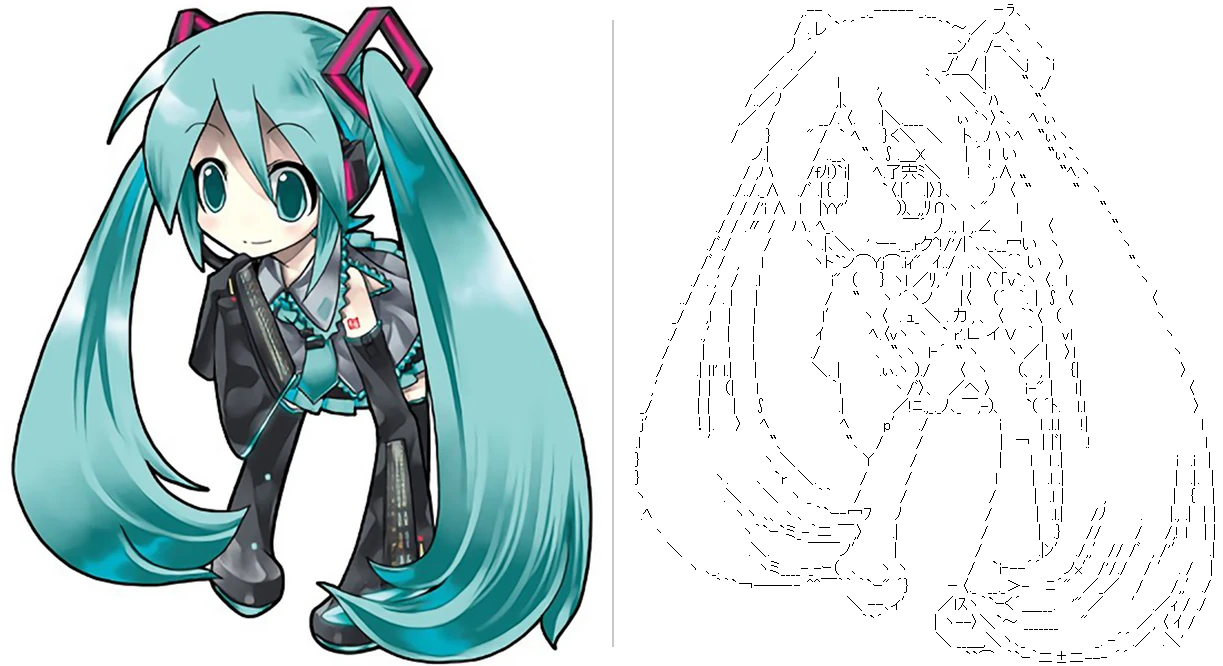
asciiart.me turns illustrations and photos into Japanese ASCII art (AA), the kind drawn with proportional MS PGothic text on Japanese boards. Drop in a picture and you get several AA to choose from, which you can then touch up row by row.
There is nothing to install. It runs in your browser, and your picture is never uploaded (all the processing happens on your own PC).
Features
- Line art by AI, then glyph matching: a manga line-art model extracts the lines of the picture, and the app picks the sequence of glyphs (551 MS PGothic characters) whose strokes best match the position and direction of the lines.
- Compare and choose: four candidates (“sparse”, “standard”, “colour edges”, “colour edges + dark areas”) and versions at slightly different sizes are shown side by side.
- Background removal: keep the character and turn the background white before making the AA (a model made for anime pictures; it also works fairly well on photos).
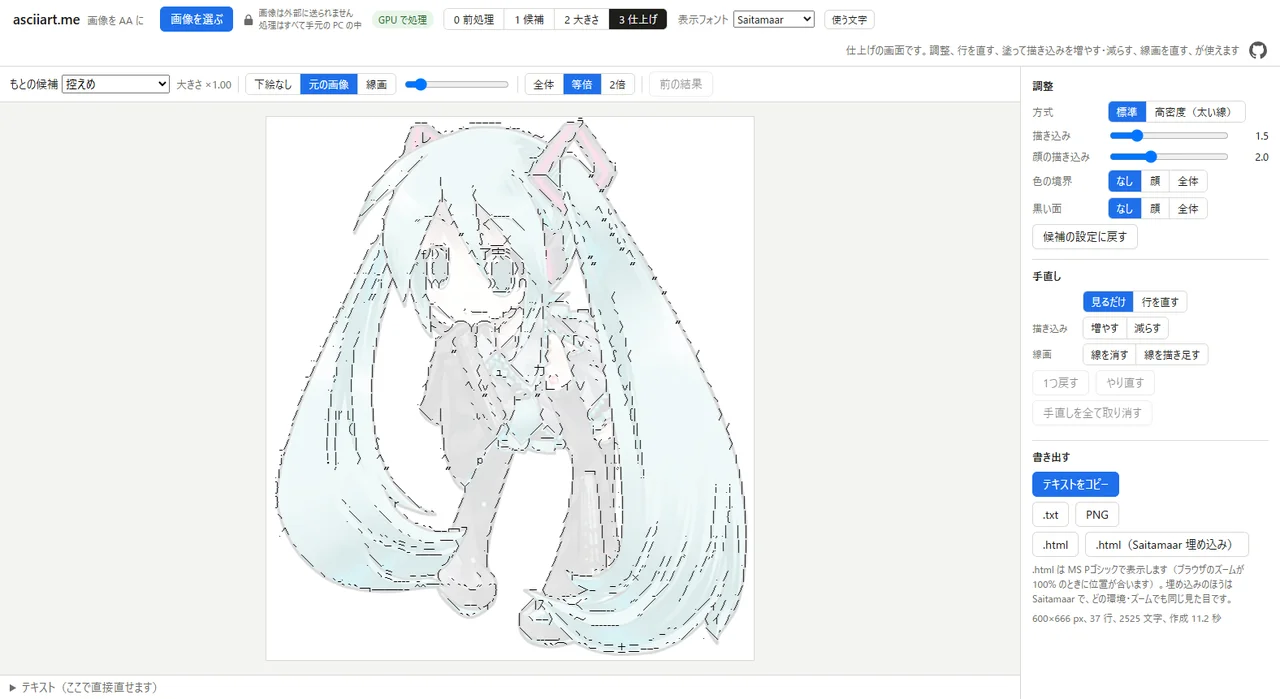
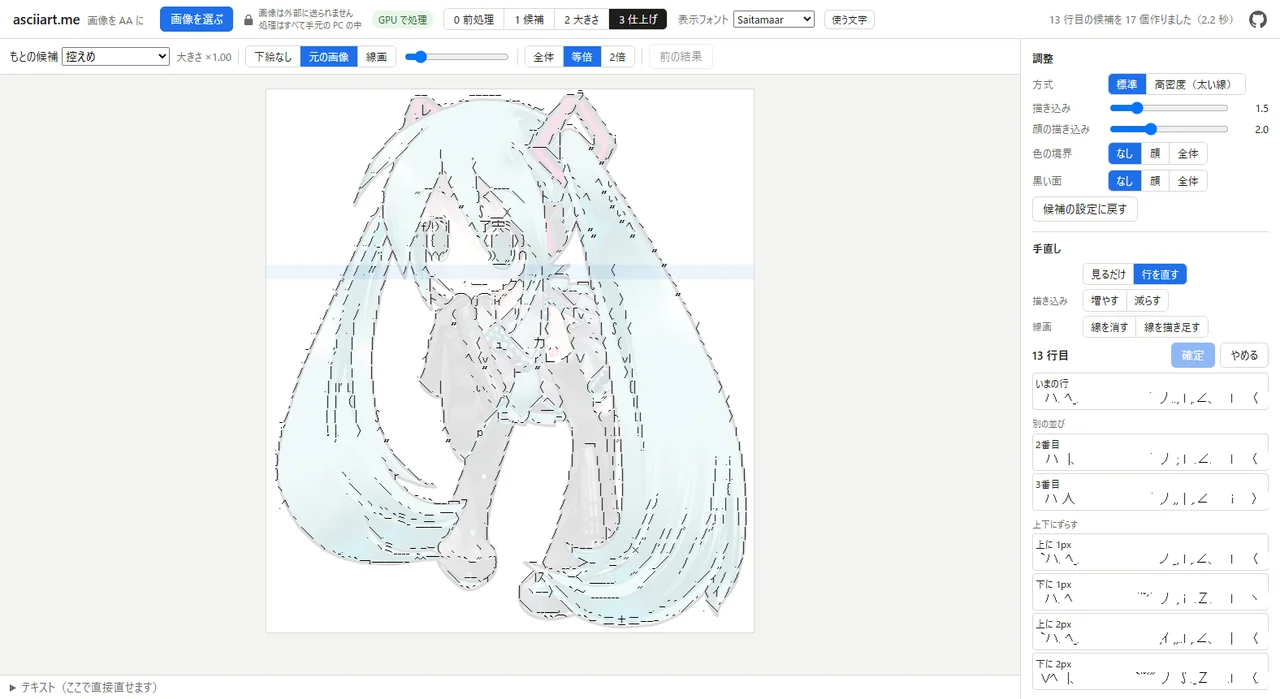
- Finishing touches: click a row to get alternatives for it (other layouts, shifted up or down, slightly stretched or shrunk). Paint where you want more or less detail, erase lines you do not want, or draw lines and dots such as a nose.
- Export: copy the text, or save it as .txt, PNG or HTML (plain, or with an AA font embedded). Besides MS PGothic, the AA can be shown in AA fonts such as Saitamaar.
How to use it
0. Prepare (optional): drop in a picture, then crop it, remove the background, and set the AA size and the line width.
1. Candidates: four AA with different settings appear. Click “これにする” (use this) on the one you like.
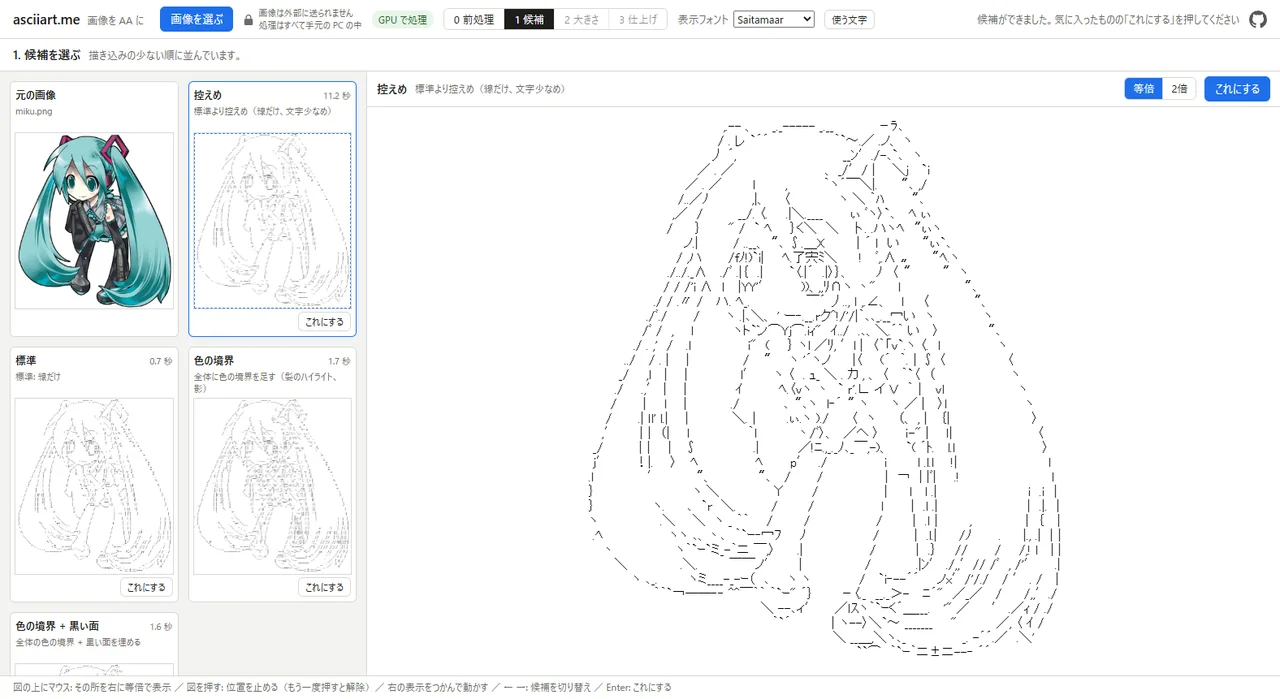
2. Size: choose among versions at slightly different sizes (a small change of size changes the glyph layout).
3. Finish: adjust the settings, fix rows, paint, fix the line art, then export.
Requirements
- A recent Chrome or Edge is recommended (it uses the GPU through WebGPU). It works on Windows, Mac and Android.
- The first time, the AI models are downloaded (about 93 MB, plus 88 MB for background removal). After that, the browser keeps them.
- Without WebGPU it runs on the CPU, which is much slower (“CPU で処理” appears at the top). On Linux, Chrome may use the GPU after you enable “Unsafe WebGPU Support” in chrome://flags.
- AA are limited to 1024 px on the long side.
- The interface is in Japanese for now; English is planned.
Privacy
Your picture never leaves the browser. The app only downloads its program (onnxruntime-web, from jsDelivr) and the AI models (from Hugging Face).
Source code
The source code is on GitHub (MIT licence): yano/asciiart.me
There is also a Python version (a command line tool and a local server). See the README on GitHub.
The AI models it uses (converted to ONNX, without retraining):
- Line art: MangaLineExtraction_PyTorch (MIT)
- Colour edges: TEED (MIT)
- Face parts: Anime-Face-Segmentation (MIT)
- Background removal: anime-segmentation (Apache-2.0)
The converted models are on Hugging Face.
The engine is a rewrite based on the ideas of our earlier Windows tool, Advanced Ascii Art Editor.
Disclaimer
The author accepts no responsibility for any damage or loss resulting from the use of this software.